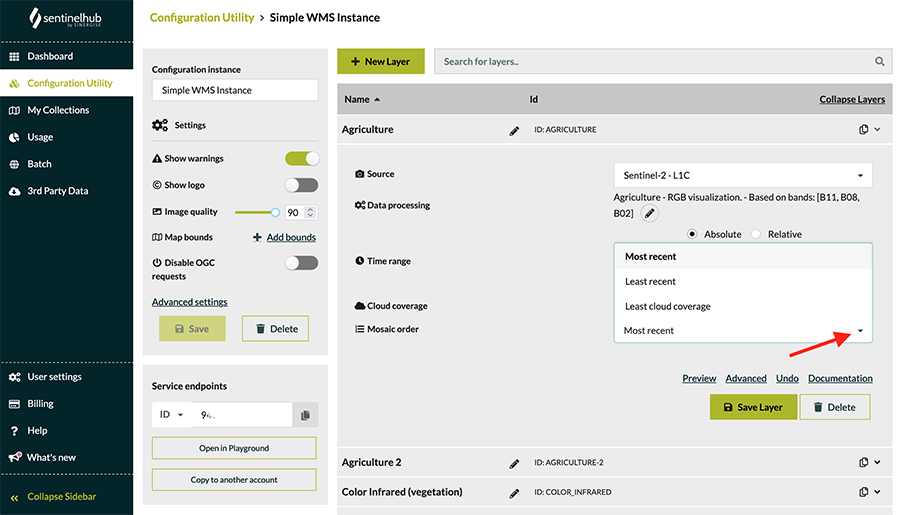
Images are ordered by “Mosaic order” priority (see Configuration Utility, can be set for each layer; you can also set this in a parameter). You can choose either to have the most recent on top or least cloud coverage. You should also take into account the “maximum cloud coverage” parameter. In case you want to get the most recent images acquired, you should set maximum cloud coverage to 100% and priority to “most recent”.
Whether the WMS service returns the latest acquired images by default

Gerri Geary

Comments
Article is closed for comments.